Self-checkout can be a lifesaver when you have a few groceries and don’t feel like waiting in a long line. But anyone who has used one knows the experience isn’t always smooth. An item won’t scan, the bagging area starts complaining, or the machine suddenly asks for an employee.
Self-checkout has become a regular part of grocery shopping. According to Fortune Business Insights, the global self-checkout system market was valued at USD 4.88 billion in 2023 and is projected to reach USD 18.01 billion by 2032. A 2023 Deloitte poll also found that 80% of grocery shoppers had used self-checkout at least once, with half using it regularly.
A few simple habits can make those kiosks much less frustrating. From picking the right time to shop to handling bulky groceries, these tips can help you get through the process with fewer interruptions.
Shop During Quieter Hours
The time you visit the grocery store can make a huge difference. According to the National Consumer Panel, roughly 29 to 30 million people shop at American grocery stores each day from Monday through Thursday, compared with about 33 to 41 million from Friday through Sunday.
Early mornings and later evenings are often less crowded than the after-work rush. The busiest stretch tends to fall between about 4 PM and 7 PM, when people are stopping by after work.
If your schedule allows, a weekday morning can mean shorter lines and more available kiosks. A midweek trip can also be easier than trying to squeeze in a grocery run on Saturday afternoon.
Related: 17 Grocery Items Containing More Chemicals Than Nutrients
Slow Down When Scanning
Trying to race through self-checkout can actually make the process take longer.
Lightweight items, produce bags, and oddly shaped products sometimes fail to register correctly on the bagging scale. Stacking several products together can also confuse the scanner.
Consumer Reports has reported that scanning and bagging mistakes are common sources of delays. Retail Dive has also reported that misplaced items in the bagging area account for a portion of self-checkout errors.
Give each item a clear scan and check the screen before moving on. A few extra seconds per item can save you from standing around while an employee clears an error.
Have Your Coupons Ready
Coupons can save money, but digging through your phone or wallet after you’ve started scanning can slow everything down.
The Food Marketing Institute has reported that 63% of shoppers use coupons regularly. Before you reach the kiosk, open your store’s app and have digital coupons ready. For paper coupons, keep them somewhere easy to reach.
Many self-checkout systems automatically apply eligible promotions once the correct products are scanned. Store policies differ, though, so knowing which coupons and offers your local grocery chain accepts can save you a headache.
Related: 10 Familiar Grocery Store Items You May Never See Again
Pick the Right Payment Method
Card and mobile payments can make the final part of checkout much quicker. PYMNTS.com has reported that 84% of shoppers prefer card or mobile payments.
If the kiosk accepts contactless payment, tapping a card or phone can be faster than inserting a card or counting cash. Some self-checkout machines also have restrictions on cash payments, so check the payment options before you start unloading your cart.
A quick glance at the payment screen can save you from reaching the end of your order only to discover that your preferred payment method isn’t available.
Check Your Receipt Before Leaving
The final total isn’t always what you expect. A product can scan twice, a sale price might fail to appear, or a coupon may not have been applied.
ABC News has reported estimates that scanner errors cost consumers between $1 billion and $2.5 billion each year. While self-checkout systems have improved, mistakes can still happen.
Take a few seconds to look over your receipt before walking out. Check sale prices, quantities, coupons, and any products that were entered manually. Catching a mistake while you’re still at the store is much easier than making another trip later.
Related: 15 Once-Popular Foods That Quietly Disappeared from Grocery Shelves
Learn the Produce Codes You Use Most
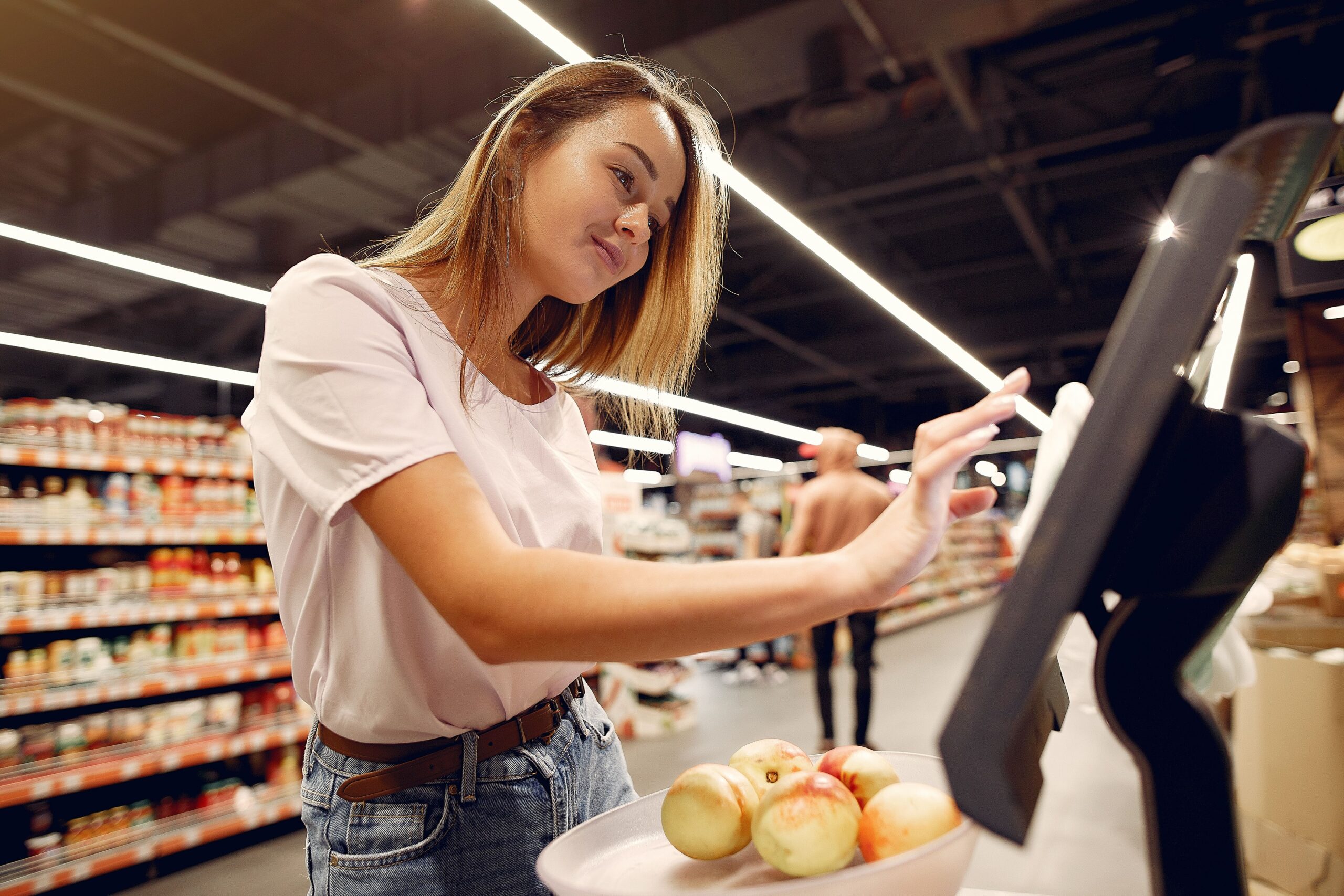
Produce can be one of the slower parts of self-checkout, especially if you don’t know the item’s PLU code.
The International Federation for Produce Standards maintains the PLU system used for many fresh fruits and vegetables. If you regularly buy bananas, avocados, tomatoes, or other produce sold by weight, learning the codes for your usual purchases can save time.
Many stores also display produce-code charts near the kiosks. Your grocery store’s app may provide another way to look up an item before you reach the checkout.
Pack Your Bags Before You Start
A little preparation can prevent a lot of bagging-area complaints.
Self-checkout machines use weight sensors to check whether scanned products have been placed in the bagging area. A heavy item placed awkwardly or a reusable bag that shifts around can trigger an alert.
Flat-bottom reusable bags tend to be easier to work with. For a large grocery order, distribute heavy products among several bags rather than putting everything into one.
Having your bags open and ready before scanning also keeps you from fumbling around while the machine waits for you to place each item.
Don’t Be Afraid to Use the Help Button
The help button exists for a reason. Use it when you actually need assistance.
Age verification, payment problems, an item that won’t scan, or a machine error are all good reasons to call an employee. Pressing the button repeatedly for minor issues, though, can create unnecessary delays.
Once you’ve used self-checkout a few times, many of the routine steps become second nature. Still, there’s no prize for refusing help when the machine is genuinely stuck.
Related: 15 Beloved Grocery Chains Struggling to Stay in Business in 2026
Scan Your Loyalty Account First
Store loyalty programs can make self-checkout even easier.
The African Marketing Confederation reports that many grocery chains connect their loyalty programs with self-service checkout systems. Scanning your loyalty card or store app at the beginning of the transaction can apply eligible discounts and add points to your account.
Some stores also offer digital coupons through their apps. Checking those offers before shopping can help you avoid missing a discount that’s already available to you.
Look for an Open Kiosk Before You Start Shopping
Some grocery stores have self-checkout areas that are much busier than others.
If your store has several checkout sections, take a quick look around before choosing where to finish your shopping. One area may have a line while another has several open machines.
According to Grocery Drive, the average grocery store devotes about 12% of its checkout lanes to self-service. Some newer stores may also display available kiosks or wait times, making it easier to pick an open machine.
Leave Heavy Items in the Cart
There’s no reason to strain yourself lifting a giant bag of pet food or a case of bottled water onto the scanner if your store provides another option.
Heavy items can often be scanned with a handheld scanner or through an option on the kiosk screen. Once the item has been scanned, you can leave it in the cart instead of trying to lift it into the bagging area.
Rosseto reports that 42% of shoppers have difficulty handling heavy products during checkout. Learning how your local kiosk handles bulky items can save your back and keep the transaction moving.
Know Which Items Need an Employee
Some products will always require a little extra help.
The Retail Alcohol Standards Group reports that many retailers require an employee to verify the age of customers buying alcohol or certain other restricted products. Self-checkout systems can flag these purchases automatically.
That doesn’t mean you’ve done anything wrong. The machine simply needs an employee to complete the required verification.
NBC News has reported that stores with additional staff near self-checkout can process these verifications faster.
Knowing ahead of time that an employee may need to approve an item keeps the interruption from coming as a surprise. And if you’re buying several age-restricted products, having your ID ready can make the process a little quicker.